Nice module transmitter: how to choose from NiceWay system
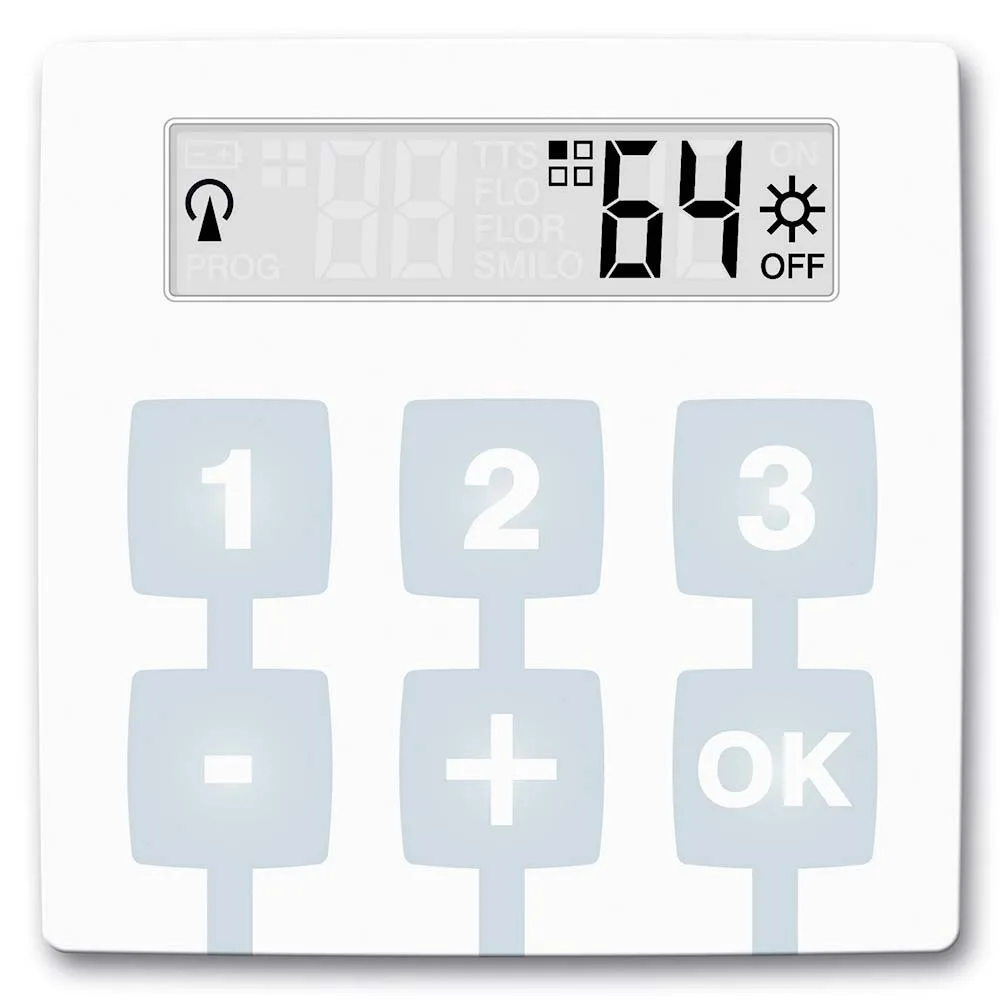
A Nice module transmitter represents the heart of the NiceWay system: a small transmitter that you choose after the number of automatisms and the type of command. Then you sit him in a wall, table or pocket stand. The range ranges from one channel to 80 automations or 240 channels.
In short: automatic numbers, choose between step by step and stop-close, then match the module with the desired NiceWay support.
Do you need help choosing?
Tell us what you need and we'll send you the offer on the same working day.
The NiceWay system separates the electronic part from the housing, so you easily change the appearance without changing the order. A Nice module transmitter chosen after the number of automatisms and the type of control simplify your life, from the street gate to the rollers in the house. Wall, table or pocket supports complete the system. Enter the transmitter module category and find the right combination for your home or building.
A Nice module transmitter is part of the NiceWay system and transmits radio commands to automations. Unlike a classic remote control, the module does not have a fixed housing. Thus, you mount it in a wall, table or pocket holder. All variants are in the category transmit modules.
What is a Nice module transmitter from the NiceWay range
The manufacturer describes the modules as the heart of the NiceWay system. In other words, the module contains electronics and keys. Instead, the holder gives the final shape: wall button, remote pocket control or table console. Therefore, you change the aspect without changing the codes or programming.
In addition, the NiceWay range manages, by model, up to 80 automations or 240 channels. So the same system covers a small house and a building with many rolls.
Step by step or stop-open
Before choosing a Nice module transmitter, set the type of command. The difference is very important in daily use. Moreover, the same house often uses both types, on different transmitters.
- Step-by-step command uses a single key on automation. Every push goes through the open, stop, close.
- The open-stop-close option has separate keys for each function.
- Hybrid modules combine the two logics on the same transmitter.
For example, for a gate ordered from the house, step by step arrives. Instead, for rollers and covers, open-stop-close offers more precise control. Thus, a suitable Nice module transmitter starts from the way you use automation.
Transmit module Nice step by step: from WM001C to WM240C
The WM001C, WM003C, WM009C and WM240C models use step-by-step control. Nice WM001C It has a channel, for one automation. Then WM003C commands three automatisms, and WM009C reaches nine. For large installations, Nice WM240C control up to 240 automations, individually or in a group.
Therefore, a Nice step-by-step module transmitter matches the doors, garage doors and barriers. However, at many automations, it clearly labels each key.
NiceWay module opens-stop-closes: from WM001G to WM080G
The open-stop-closed control models work individually or in a multi-group. For example, WM001G commands an automation, and WM002G two. Then WM003G climbs to three, and WM006G to six groups.
- The WM004G module controls four automations and activates the sun sensor.
- Nice WM080G reaches 80 automatisms, still with control for the sun sensor.
- Hybrid Nice WM003C1G Command three step-by-step automatisms and one open-stop-close.
So, a Nice module transmitter with the sun sensor control fits the shadow systems. In other words, activate the sensor function directly from the transmitter.
NiceWay supports: wall, table or pocket
The module ends the final form just in the support. That's why you choose the support after the place of use. Category control and programming You find more options.
- Opla S square plates come in black (WSB), marine green (WSS) or aluminium (WSA).
- The rectangular version Opla R appears in white (WRW) or closed grey (WRG).
- Mini Go heels, such as orange WCO or blue WCI, make the transmitter portable.
- Table support Nice WAX, from the Ondo line, combines white plastic and blue ice rubber.
Thus, the same transmitter modules Nice becomes fixed button next door or remote control on the nightstand. At the same time, the thin plates integrate discreetly into the decor of the room.
Examples of configuration with NiceWay mode
- Gate house and garage: a WM003C in a mini gate control stump, garage and a gate.
- Living with four reels: a WM004G on an Opla board controls the reels separately or in a group.
- Office building: a WM080G handles dozens of reels, on floors or on the front.
Therefore, a Nice module transmitter is chosen after installation, not after appearance. The aspect solves the support.
Mistakes to avoid in choice
- Choosing a module with too few channels, no reserve for extensions.
- Step-by-step control of rolls that require precise half-stop.
- A pocket holder where a fixed button would help more.
- Lack of labels on the keys, at installations with many groups.
First, it counts current and planned automations. Then think who uses the transmitter and where. For example, for children, separated keys with clear functions remain easier to understand. Besides, a fixed button on the wall is not lost around the house. Therefore, a Nice module transmitter chosen with channel reserve exempts you from a second purchase. At the same time, keep a list of each channel allocation.
Compatibility and programming
NiceWay modules communicate via radio with Nice receivers. However, the exact compatibility depends on the receiver and encoding. That's why you check the receiver's file before ordering. For classic remote controls, see also category remote radio controls. In addition, the CORE interface links radio automations to the Wi-Fi network. For radio equipment standards, general information can be found at Standardisation Association of Romania. Thus, a correctly programmed Nice module transmitter commands exactly the desired automation.
Frequently Asked Questions about NiceWay mode
Can I change the support without reprogramming?
Yeah, basically. The module stays the same, and the support just changes shape. However, check whether the chosen module enters the desired support.
What do I choose for three automatics?
Step by step, WM003C. To open-stop-close, WM003G. If you need both logics, see WM003C1G.
Which Nice module transmitter controls most automations?
WM240C controls up to 240 step-by-step automations. To open-stop-close, WM080G reaches 80.
Can I use the module as a wall button?
Yeah. You sit it in an Opla S or Opla R plate and fix it on the wall. Thus, the button always stays in the same place, by the door or by the window.
Compare models in category transmit modules and choose a Nice module transmitter according to the number of automations. The Nice Store team helps you choose, including matching the NiceWay support.