How to choose Nice remote control: channels, coding and compatibility
The remote control seems to be a detail, but it depends on how safe and comfortable you use gates, garage door or barrier. Before purchasing, it is worth knowing how you choose Nice remote control after the number of channels, type of coding and receiver already installed in your installation.
In short: count the automations ordered, check the receiver (FLOR, O-Code, BD) and then just choose between FLOR-S, Era Inti, ON3EBD or MYGO4.
Do you need help choosing?
Tell us what you need and we'll send you the offer on the same working day.
When you know how to choose the Nice remote control, the command becomes simple and without returns. Number the doors and doors ordered, check the receiver code and choose the appropriate family: FLOR-S, Era Flor, Era Inti, ON3EBD or MYGO4. Thus, each member of the family or team is given a clear, easy-to-manage remote control. If you have any concerns, keep the model of the receiver or automation handy. Enters the category of remote controls radio Nice and compare the models available.
If you have a gate, a door garage or a Nice barrier, the remote becomes the key every day. However, the models look similar, and the differences are channel, coding and receiver. In this guide you see step by step how you choose the Nice remote control suitable for your installation.
Starting from the real models in the category remote radio controls from the Nice Store. All work on the 433.92 MHz frequency, but not all use the same coding. Therefore, compatibility with the receiver matters more than the aspect.
How many channels do you actually need?
First, count the automations you want to order. A channel usually starts a single automation or a function. For example, large necks go on one channel, and pedestrian necks on another. So, when you decide how to choose Nice remote, the number of channels follows the number of commands.
- A channel: Nice FLO1R-S or INTI1, for one gate only.
- Two channels: FLO2RE times NICE INTI2, for the kitchen plus garage.
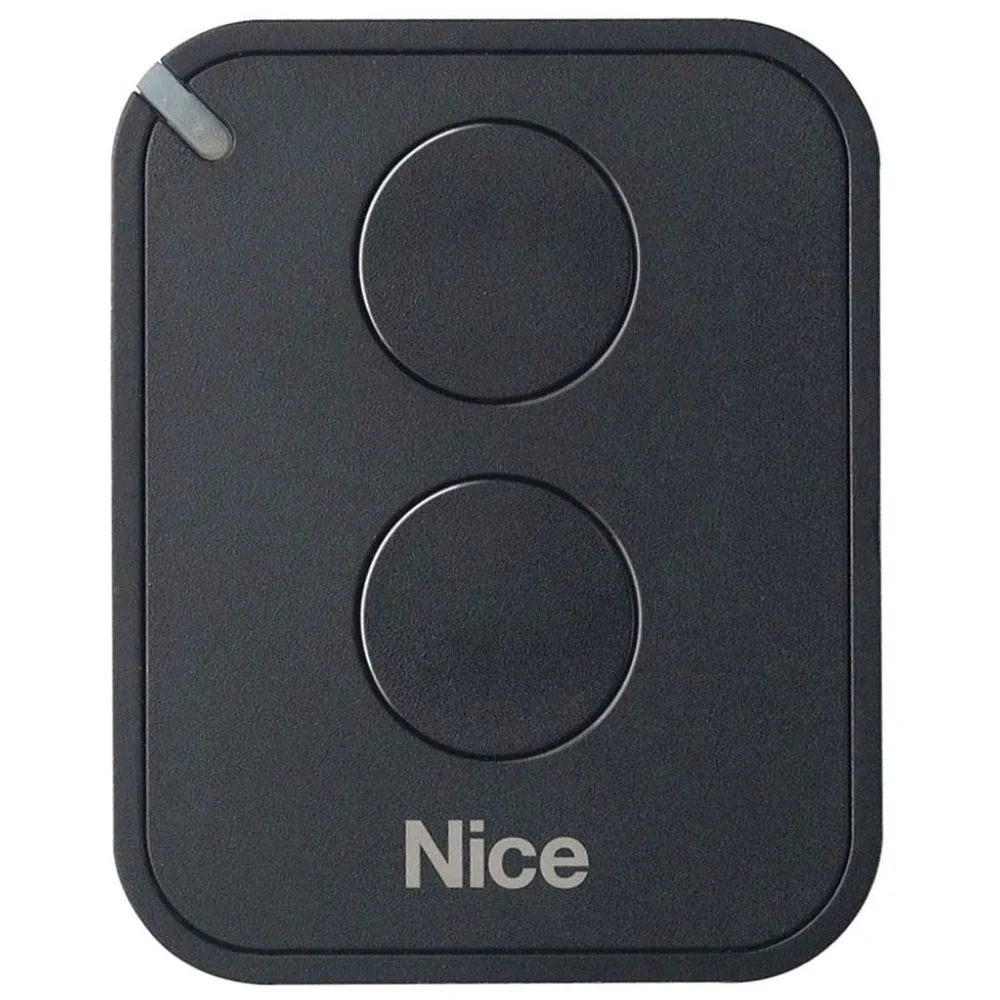
- Three channels: ON3EBD, designed for gates, garage doors and barriers.
- Four channels: Nice FLO4R-S or MYGO4, when you order more inputs.
On the other hand, do not automatically buy the option with most channels. Unused buttons create confusion, especially in children or the elderly. In other words, how you choose the Nice remote depends first on how many orders you actually use.
Encoding: how to choose Nice remote control compatible with receiver
This is where most confusion occurs. FLOR-S and Era Flor use rolling code, i.e. a code that changes at each press. Instead, the Era Inti range works with O-Code on 72 bits. In addition, the manufacturer specifies that INTI models remain compatible with FloR coding receivers.
Therefore, first check the receiver in the installation. If you have a separate receiver, like Nice OXIBD on 433,92 MHz, read on it the type of encoding accepted. You just decide how to choose the Nice new remote, no surprises to memorize. Other receivers found in category radio receivers.
Separated, the ON3EBD model has two-way communication. According to the description, it works with Nice automations using rolling code, O-Code and BD. Thus, it becomes a flexible choice when you have Nice equipment from different generations.
Models in the catalogue, compared
To see how you choose the Nice remote control, here's what each family brings, strictly after the product files.
- FLOR-S (FLO1R-S, FLO4R-S): rolling code, LED that signals the battery downloaded and reduced consumption.
- Era Flor (FLO1RE, FLO2RE): manages identity codes and certificates, with self-learning and integrated proximity receiver.
- Range was Inti (INTI1, INTI2 and color variants): O-Code on 72 bits and reduced response time approximately three times, according to the manufacturer.
- ON3EBD: three channels, two-way communication, locks or locks with included support.
- MYGO4: four channels, rolling code, compact format for pocket.
For example, if you already have remote FLOR-S controls, a second piece of the same family simplifies memory. Instead, for a new installation it is worth comparing the INTI version. So, when you wonder how you choose the Nice remote, first compare the family, then the number of channels.
Frequency, battery and daily comfort
All remote controls in this selection work on 433,92 MHz. Therefore, frequency does not help you to choose between them, but coding makes the difference. Instead, some Nice receivers, such as OXIFM, work on 868.46 MHz. So, it doesn't assume that any remote control goes with any receiver. That's why, when you set how you choose the Nice remote, the frequency of the receiver comes into play.
Then think about the daily use. The reduced consumption, referred to in FLOR-S, means a battery that holds more. Also, the compact format of MYGO4 matters if you gate it to the keys. On the other hand, ON3EBD stands well on the edge of the car, handy.
Nice remote control for families and businesses with many users
In a yard with more tenants or a firm, access control becomes important. The FLO1R-S file mentions the unique personal code, useful for systems with many users. Thus, you can remove from the receiver only one remote control lost, without reprogramming them all.
Plus, colors help with the organization. Inti range has black, yellow, green or purple variants, such as INTI1Y yellow. For example, you can give each department another color. However, the color does not change the function, so the technical criterion remains as you choose the Nice remote control after coding.
At the same time, it's important to memorize. Several models allow the remote code to be introduced, with a remote control already authorised. Therefore, you should not open the receiver box at any time.
Mistakes to avoid when choosing the Nice remote control
- You buy after the picture, without checking the receiver's encryption.
- Choose four channels for a single gate and confuse users.
- Ignore the weak battery signal until the remote doesn't respond.
- You forget to erase the lost remotes from memory.
In short, a five-minute check avoids a wrong order. If you don't know how to choose the Nice remote, note the receiver model and ask for help. For benchmarks on automation standards, you can consult Standardisation Association of Romania.
Frequently asked questions about how to choose Nice remote control
Can I use a remote INTI control with a FLOR receiver?
Yeah, according to the producer. The Inti Era models remain compatible with FloR encoding receivers. However, check the receiver label first.
Where do you set the Nice ON3EBD remote?
You can wear it as a tie. In addition, the packaging holder allows the catch on the wall or on the edge of the car.
How many channels do you recommend for home with gates and garage?
Usually, two channels arrive. So, FLO2RE or INTI2 covers doors and door garage. If you add a port, when you decide how to choose the Nice remote, consider three or four channels.
What do you do when the Nice remote signals the downloaded battery?
FLOR-S models announce weak battery by light pulses. Therefore, change the battery from time to time and avoid locking the doors.
In conclusion, you now know how to choose Nice remote control: number commands, check coding and compare families. View all models in category remote controls radio Nice, And the Nice Store team will help you choose if you have any concerns.